Comparison
The Best Screen Time Alternatives for Mac in 2026
Screen Time told me I'd spent 6 hours on YouTube yesterday. But it didn't tell me when I was spending time on certain apps. It could only tell me the total.
That gap is why people look for something else. Below are six options, including the free one already on your Mac: what each is good at, where it falls short, and who should pick it.
A disclosure: I make NotchTime, one of the apps on this list. Weigh my opinion with that in mind. I've tried to be fair, and I say plainly where the others do a better job.
The quick answer
- Best free option, already on your Mac: Apple Screen Time
- Best for strict blocking: Cold Turkey
- Best for tracking work hours: Timing
- Best for a pause before you open a distracting site: one sec
- Best for scheduled blocking across phone and Mac: Opal
- Best for seeing how long you actually watch different apps: NotchTime
Why look past Screen Time at all?
Screen Time is free, it doesn't need any setup, and it can combine your Mac and iPhone into one total. So it does a good job of getting a rough number, and it does break things out on a website level. However, Screen Time's limits aren't built in well, and it keeps counting time when you pause a video. It can also only track site details in Safari.
How I compared them
I looked at five things:
- Accuracy: does it measure what you actually did?
- Blocking: can it stop you, and how hard is it to get around?
- When it acts: before you open something, while you're in it, or only in a report afterward?
- Price: subscription or one-time?
- Browsers: which ones does it read?
Comparison at a glance
| Price | Tracks time | Blocks | Acts when | Best for | |
|---|---|---|---|---|---|
| Apple Screen Time | Free | Apps, sites (Safari) | Soft limits | Afterward | A rough total |
| Opal | Free tier; Pro $100/yr | Yes | Yes, scheduled | Before | Blocking on a schedule |
| Cold Turkey | Free; Pro $39 once | Basic | Yes, very strict | Before | A hard wall |
| Timing | $9–$16/mo | Very detailed | No | Afterward | Billing and timesheets |
| one sec | Free; Pro $7/mo, $20/yr or $100 lifetime | Light | A pause, or a block you can leave | Before | Opening sites by reflex |
| NotchTime | Currently $5 lifetime | Watching vs open | Opt-in locks | During | Hours lost to watching |
The apps
Apple Screen Time
What it is: Apple's built-in tracker, in System Settings › Screen Time.
Good at: It's free and already there. It can share data across your Apple devices, and it has Downtime and App Limits.
Falls short: It can't tell watching from having something open. It tracks sites in detail only in Safari, and its limits are easy to dismiss.
Pick it if: you want a rough total and don't want to install anything.
Opal
What it is: A focus and blocking app on iPhone and Mac, built around sessions and schedules.
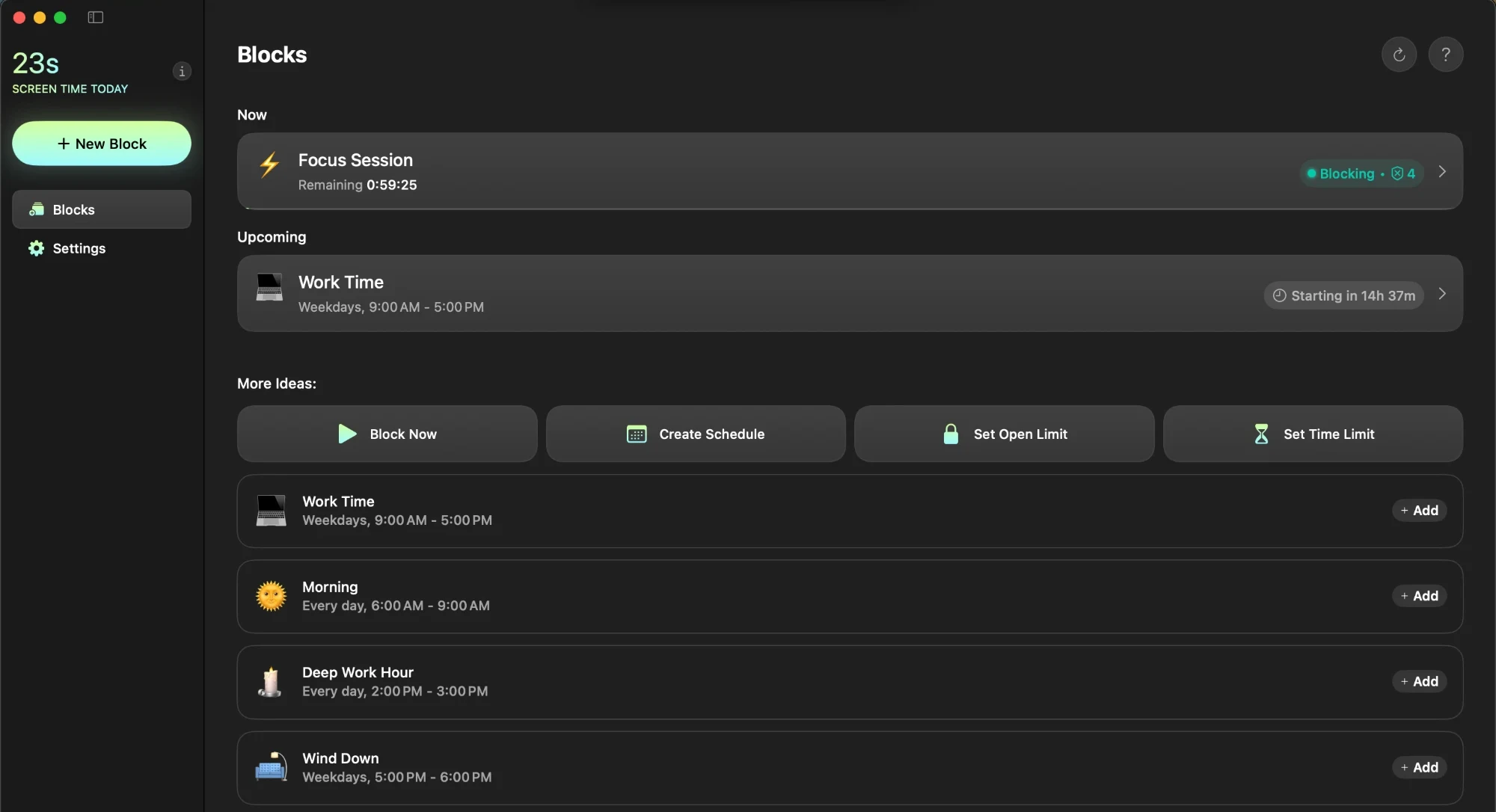
Good at: A polished design, blocking schedules and focus sessions. It's strongest if your phone is the main problem and you want the Mac covered too.
Falls short: It doesn't give detailed information on screen time usage, but the locks and focus sessions are great.
Pick it if: you want scheduled blocking on your phone and Mac with a nice UI, and don't mind paying yearly.
Cold Turkey
What it is: A long-running website and app blocker for Mac and Windows.
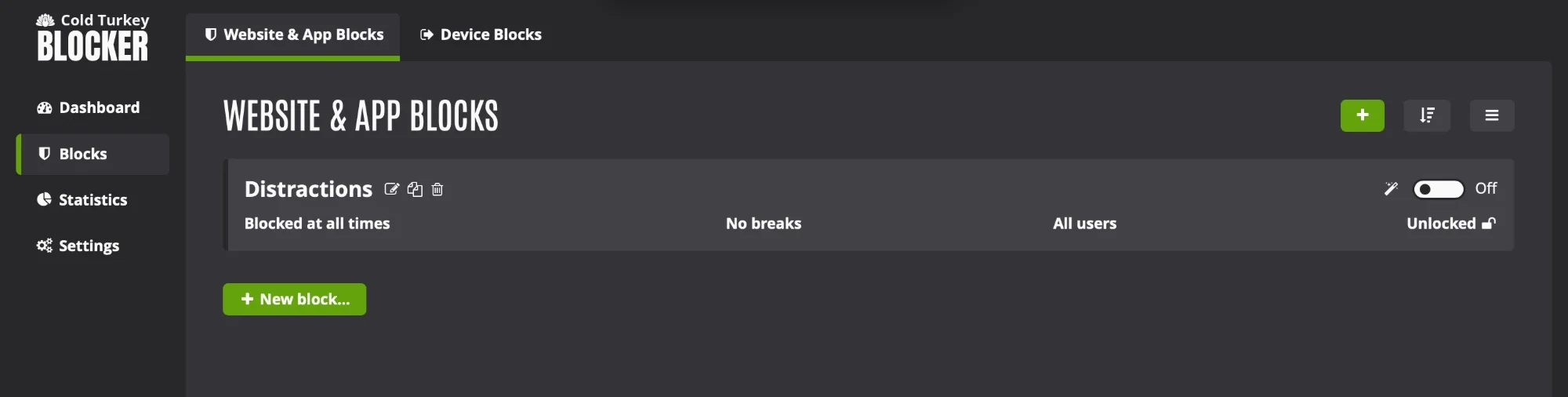
Good at: Strictness. Blocks can be locked so you can't undo them until they end, and Frozen Turkey can lock you out of the computer entirely. It's a one-time purchase.
Falls short: It blocks without telling you much about your habits. You set up block lists, and it enforces them. For some people that strictness backfires: they uninstall it on a bad day and don't come back. Also, the UX isn't the best, especially compared to an app like Opal.
Pick it if: you know you need a wall. This one is the strictest at blocking apps, and it does have some website tracking.
Timing
What it is: Automatic, detailed time tracking for Mac, built for professionals.
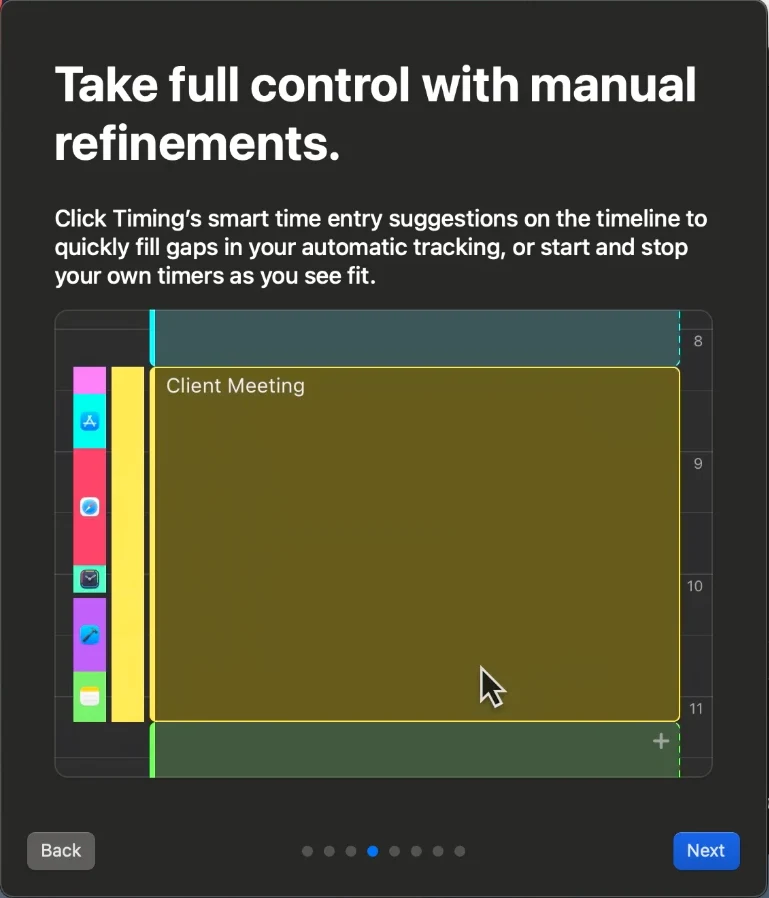
Good at: Very detailed records of apps, documents and sites, sorted into projects, plus timesheets and reports for billing clients.
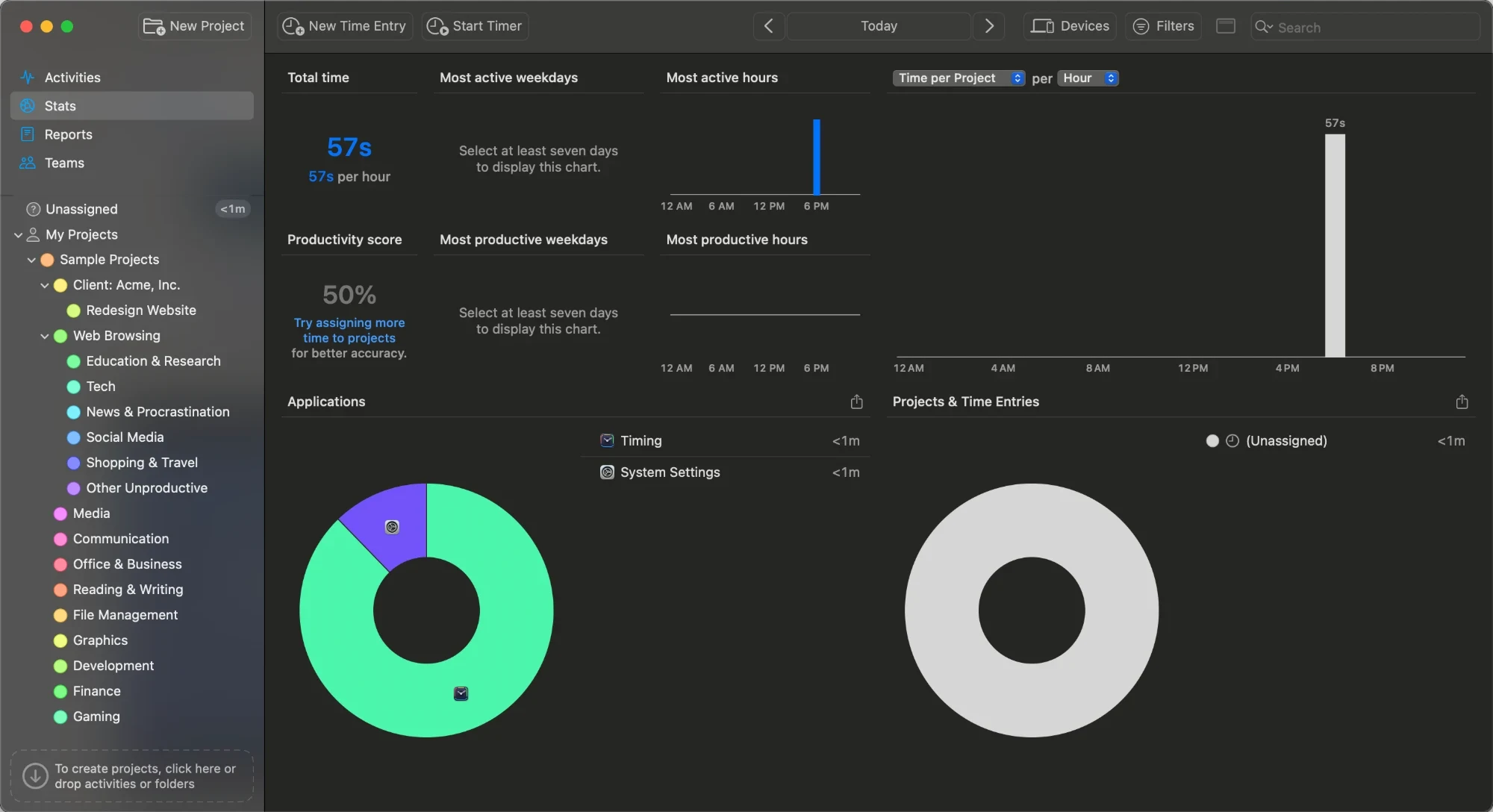
Falls short: It's built around work, not habits. It counts the window in front of you, so time watching a video can be marked as idle or put under the wrong project. It also requires quite a bit of upfront work to organize your day into specific time blocks.
Pick it if: you freelance or consult and need to know where your billable hours went.
one sec
What it is: An app and browser extension that adds a short breathing pause before a distracting app or site opens. It can also block sites outright on a schedule.
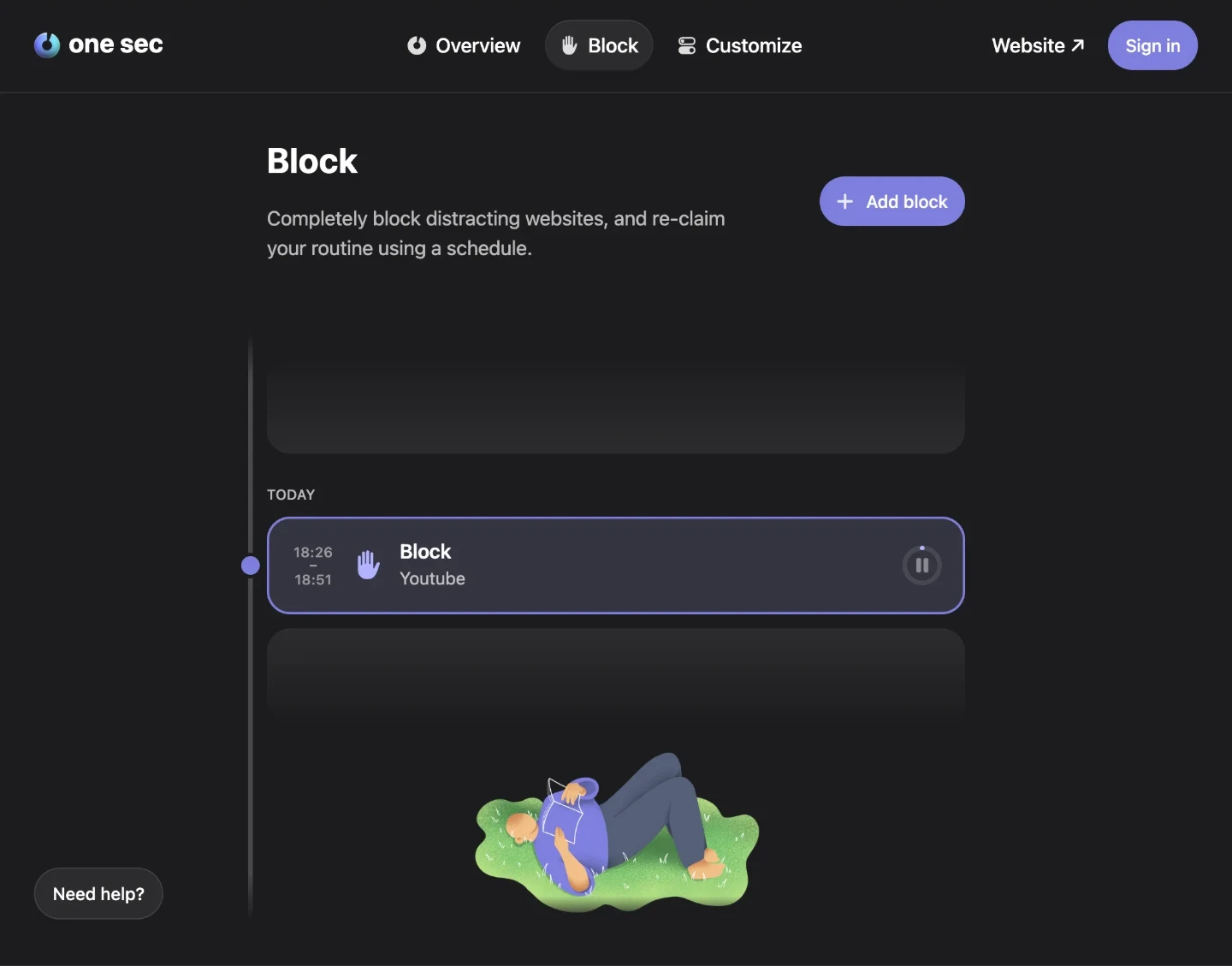
Good at: Breaking the habit of opening something without thinking. The browser extension is free and works in Chrome, Firefox, Safari and Edge.
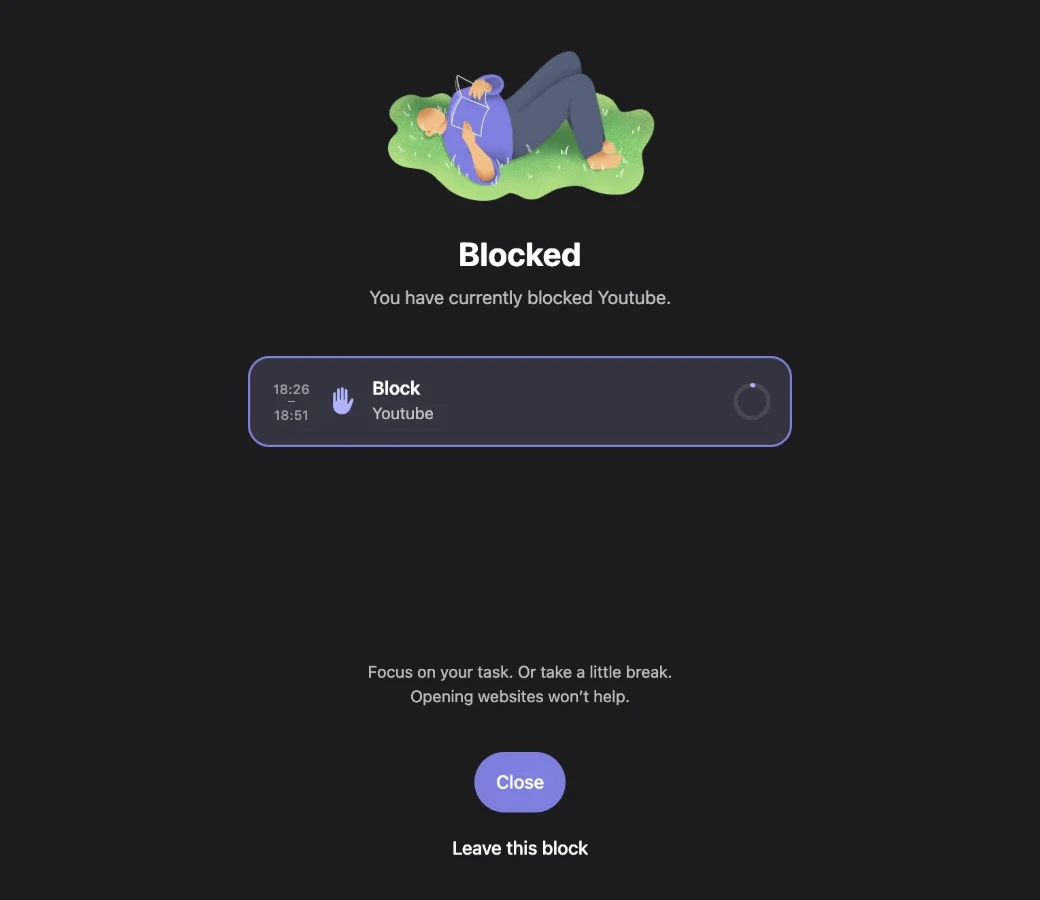
Falls short: It acts at the moment you open something. Once you're past the pause and an hour into a video, it doesn't help.
Pick it if: your problem is opening sites on reflex, dozens of times a day.
NotchTime
What it is: A Mac menu bar app that tracks your time and shows it in the notch at the top of your screen. I make it.
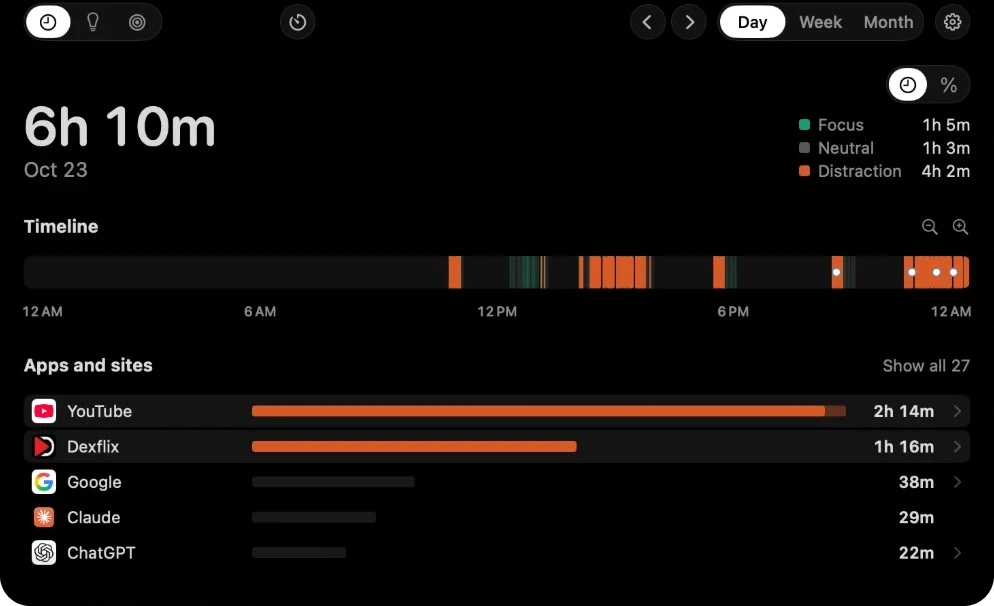
Good at:
- It counts watching, not just open tabs. Time on YouTube, Twitch or X counts while a video plays in the tab in front, not while it sits paused in the background.
- It tells you while it's happening. Every hour you spend watching, a short nudge comes out of the notch. You notice at hour one, not in a report on Sunday.
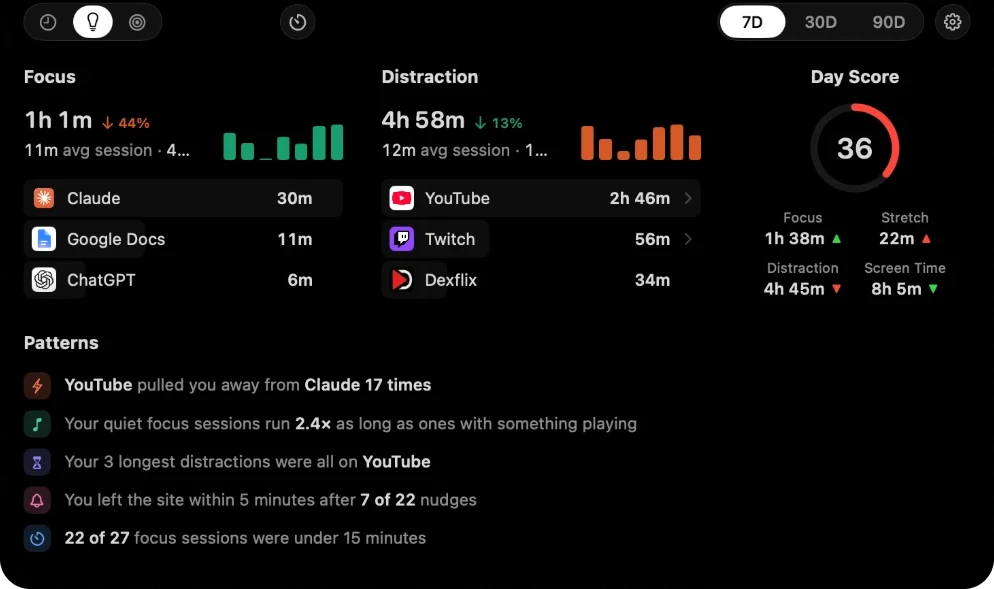
- It shows your day as one strip. Open the notch for a timeline of what you did, plus Insights on what your good days have in common.
- Its locks are opt-in. A goal can block a site once you pass your limit. The Focus lock blocks distractions during a focus session, and the Morning Lock keeps them closed at the start of your day (an hour by default). Nothing blocks until you turn it on.
- It stays on your Mac. Your data never leaves it, and you can ask your AI assistant about your day.
- It's a one-time purchase: currently $5 for a lifetime license, with a 14-day refund.
Falls short:
- No iPhone app, and no sync between devices.
- No timesheets, projects or team reports. Use Timing for that.
- No Firefox. It reads Safari, Chrome, Arc, Brave and Edge.
- Every lock can be turned off, by design. If you need a lock you can't lift, Cold Turkey is the better choice.
- It needs macOS 14 or later. It works without a notch, but it's at its best on a MacBook that has one.
Pick it if: your lost hours go to watching, and you'd rather notice in the moment than be blocked by a list.
Which one should you pick?
- "I just want a number." → Screen Time
- "I need to be stopped, no exceptions." → Cold Turkey
- "I bill clients by the hour." → Timing
- "I open YouTube without thinking." → one sec
- "My phone is the real problem." → Opal
- "I lose whole evenings to YouTube or streams." → NotchTime
Two can work together, too. one sec catches the reflex at the start, and NotchTime catches the hour you didn't notice going by.
FAQ
Is Screen Time on Mac accurate?
It's accurate about which apps were open and in front, but it can't tell whether you were watching. A paused video counts the same as one playing, and outside Safari, time on individual sites isn't tracked at all.
Can you block YouTube on a Mac without an extension?
Yes. Screen Time can limit YouTube in Safari, and apps like Cold Turkey, Opal and NotchTime can block it across browsers without an extension.
What's the best free screen time app for Mac?
Apple's own Screen Time. If you also want a pause before distracting sites, one sec's browser extension is free too.
Does Screen Time track time in Chrome?
It counts the time Chrome is open and in front, but it doesn't track the sites inside Chrome. For site-by-site detail, Screen Time needs Safari.
Can these apps see my browsing?
Any app that tracks or blocks sites has to read which site you're on. What matters is where that data goes. Screen Time and NotchTime keep it on your devices. Check each other app's privacy policy before you install it.
The short version
If you want a rough total, Screen Time is fine. If you need a wall, get Cold Turkey. If you bill hours, get Timing. If your time goes to watching, and you'd like to find out at hour one instead of hour four, try NotchTime. It's a one-time purchase, with a 14-day refund if it isn't for you. For more detail, see how NotchTime compares or the guide to how it works.
See where the hours really go
Hourly nudges, a timeline of your day, Insights and goals, all from the notch.
Get NotchTime